Proactive budget control that catches overspend at the request
Every request is checked against a named budget and owner before a PO goes out.
Built for Controllers who would rather stop an overrun than explain one at close.

- Who runs it
- Controller sets budgets. Budget owners approve against them.
- When you need it
- Overruns found at close, open POs missing from budget reports.
- Works with



- Live in
- 2–4 weeks, set up for you. No IT project.
What proactive budget control actually means
Proactive budget control means checking each purchase request against the budget it will draw from before anyone places the order. Money already promised on approved requests and open POs counts as spent. The budget owner sees the impact and decides. Overspend is caught at the request, not when the invoice posts.
A budget report without open POs shows what you've spent, not what you've already promised.
Budget set
Named owner and amount.
Lives in a spreadsheetRequest
Budget picked on the request.
No budget namedBudget check
Checked before submission.
Nobody checksApproval
Owner sees the impact.
Can't see what's leftPO committed
Counts against the budget.
Open POs invisibleInvoice and actual
Committed becomes actual.
Overrun found at close
Same budgets. No surprises at quarter-end.
Five steps from budget to actual spend
Each step shows who acts. The budget is checked before money is committed, not after it's spent.
Set budgets the way you report
We load them with you during setup.
- Budget years, levels and named owners
- Values by CSV import or manual entry
- A fallback budget for anything that doesn't match
Budgets · FY2027 · by department
Pick the budget on the request
The cost lands on the right line from the start.
- Budget at header or line level
- One purchase split across several budgets
- Budget checked before the request is submitted

Approve with the budget in view
The owner decides with the numbers in front of them.
- Budget Owner as an approval level
- Project owner routing when a line exceeds its limit
- Budget impact shown in approval emails and the mobile app
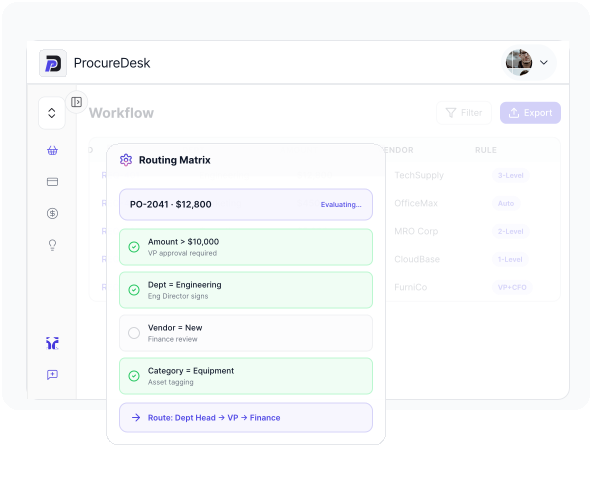
Count the commitment when the PO goes out
Committed spend is visible long before the invoice.
- Approved POs show on the Committed tab
- Ordered-but-not-received on the Cashflow page
- Filter by business unit, department or supplier
Operations · FY2027
Turn commitments into actuals
Invoices land against the budget they were approved on.
- 3-way match before payment
- Syncs to your accounting system:
- Actual spend and Cost avoidance dashboards
Cost avoidance · this quarter
Bring this year's budget file. We'll show how it maps into ProcureDesk.
What happens when a request doesn't fit the budget
Every finance team hits the same edge cases. Know the two numbers that matter, then where each case goes.
Committed
Approved requests and open POs. Money promised, not yet billed.
Actual
Invoices matched and synced. Money already spent.
| The situation | What ProcureDesk does | Who decides |
|---|---|---|
| Project line over limit | Routes the request to the project owner for approval. | Project owner |
| Owned budget | Adds the budget owner as an approval step. | Budget owner |
| Several budgets | Splits the cost by line across budgets. | Requester |
| New year not loaded | Blocks new orders unless an admin allows expired budgets. | Controller |
| No matching budget | Uses the fallback budget, if one is set. | Controller |
| Approver away | Escalates to a backup or delegate. | Backup approver |
| Request rejected | Counted on the Cost avoidance dashboard. | Finance |
"Who decides" reflects common practice at mid-market finance teams. Set owners to match your own policy.
Three moments where the budget holds
The order that would break Q3
BeforeApproved by email. The overrun shows up in the quarter-end report.
AfterThe budget owner sees the impact in the approval email and decides before the PO.
The manager who should own it
BeforeEvery request lands on one executive's desk.
AfterDepartment managers approve against their own budgets. Leadership sees the exceptions.
January 2nd
BeforeOrders keep flowing against last year's budget.
AfterOrders stop until next year's budgets are loaded, or an admin turns on the override.
Illustrative scenarios based on common workflows.
What finance teams say about staying on budget
Finance teams that run purchasing and AP on ProcureDesk








Funai Lexington moved approvals to the managers who own the budget
Requests lived in Excel and went to the COO by email, then were re-keyed into QuickBooks. Now managers approve their own spend with real-time budget visibility.
“Our goal was to help our managers make smarter, better decisions about where and how they spend money so that we can achieve our financial goals as a company. ProcureDesk has helped enable this, and shown us that efficiency and visibility are both key to budget management.”
GPGeorge ParishCOO, Funai Lexington
“I was looking for a solution that would help push some of the approval responsibilities over to our managers.”
GPGeorge ParishCOO, Funai Lexington
“Anybody within the company could order goods or services, and approval would only happen after the invoice arrived.”
CWCameron WilliamsAccounting Manager, Metabolon
“With ProcureDesk I am able to see who is spending and the dollar amount associated with purchase.”
KSKevin SlatnickCFO, Coast Flight
Results come from ProcureDesk customer data. Quotes are verbatim from published case studies.
A spreadsheet tracks the budget. Only the request can protect it.
| Capability | Spreadsheet budgetExcel or Google Sheets | ERP budget moduleQuickBooks, Sage Intacct, NetSuite | Card-first toolCorporate cards and expenses | ProcureDeskProcurement and AP automation |
|---|---|---|---|---|
| When spend is checked | After the fact | Varies by ERP | At or after the swipe | ✓At the request |
| Open POs as committed | No | Varies | Varies | ✓Yes |
| Requesters involved | No | Varies | Cardholders only | ✓Every requester |
| Named budget owner approves | No | Varies | Varies | ✓Yes |
| Goods receipt and 3-way match | No | Varies | No | ✓Yes |
Standard capability at time of writing; confirm current features with each provider.
Five numbers that show budgets are holding
Track these monthly, before and after you change the process. If they don't move, the process hasn't changed.
PO compliance
Share of spend that went through an approved PO.
The PO compliance dashboard tracks it.Committed vs remaining
Open POs and actuals against each budget.
Shows overruns before they happen.Cost avoided
Value of requests rejected before purchase.
Shown on the Cost avoidance dashboard.Approval cycle time
Hours from request to approval.
Shows where approvals slow down.Overruns found after the fact
Budgets over at period end that nobody saw coming.
The number this use case should drive to zero.Questions Controllers ask about budget control
What is proactive budget control?
Checking each purchase request against the budget it will draw from before the PO goes out, with open commitments counted as spent. The budget owner approves with the impact in view.
What is the difference between committed and actual spend?
Committed spend is money promised on approved requests and open POs. Actual spend is invoices that have been matched and recorded. Budget vs actual reports that ignore commitments make budgets look healthier than they are.
Does committed spend include open POs?
Yes. Approved POs show on the Committed tab, and the Cashflow page shows what has been ordered but not yet received.
Can budgets be set by department, project, class or location?
Yes. Budgets use custom levels, such as class, department or project, each with an owner, an interval and a value loaded by CSV or entered manually.
What happens when a request exceeds a project budget line?
If the setting is on, the request routes to the project owner for approval before it can continue.
Who approves spend against a budget?
You can add the Budget Owner as an approval level, alongside rules by amount, department, vendor or GL account.
Can one purchase be charged to several budgets?
Yes. Budgets can be applied at line level, so one purchase can be split across budgets.
What happens at year-end before new budgets are loaded?
New orders are blocked once a budget year expires, unless an admin turns on the setting to allow expired budgets.
How do budgets get into ProcureDesk?
By CSV import or manual entry. We load them with you during the 2 to 4 week setup.
Which accounting systems does it work with?
QuickBooks Online, Desktop and Enterprise, Sage Intacct, NetSuite, Business Central and Xero.
Stop the overrun before it becomes a PO.
See it with your own budgets and approvers. Setup takes 2 to 4 weeks, and we do it for you.


Resources
Company


© Copyright 2026, All Rights Reserved by PROCUREDESK